
Be the first to review “End-to-End CNN-Based System for Human Detection in Fire using a Flask Web App” Cancel reply
Sale!



Deep Learnig Project, Image Processing Project, Machine Learning Project
End-to-End CNN-Based System for Human Detection in Fire using a Flask Web App
Original price was: ₹2,599.00.₹999.00Current price is: ₹999.00.
The following contents are Downloadable immediately after the successful payment
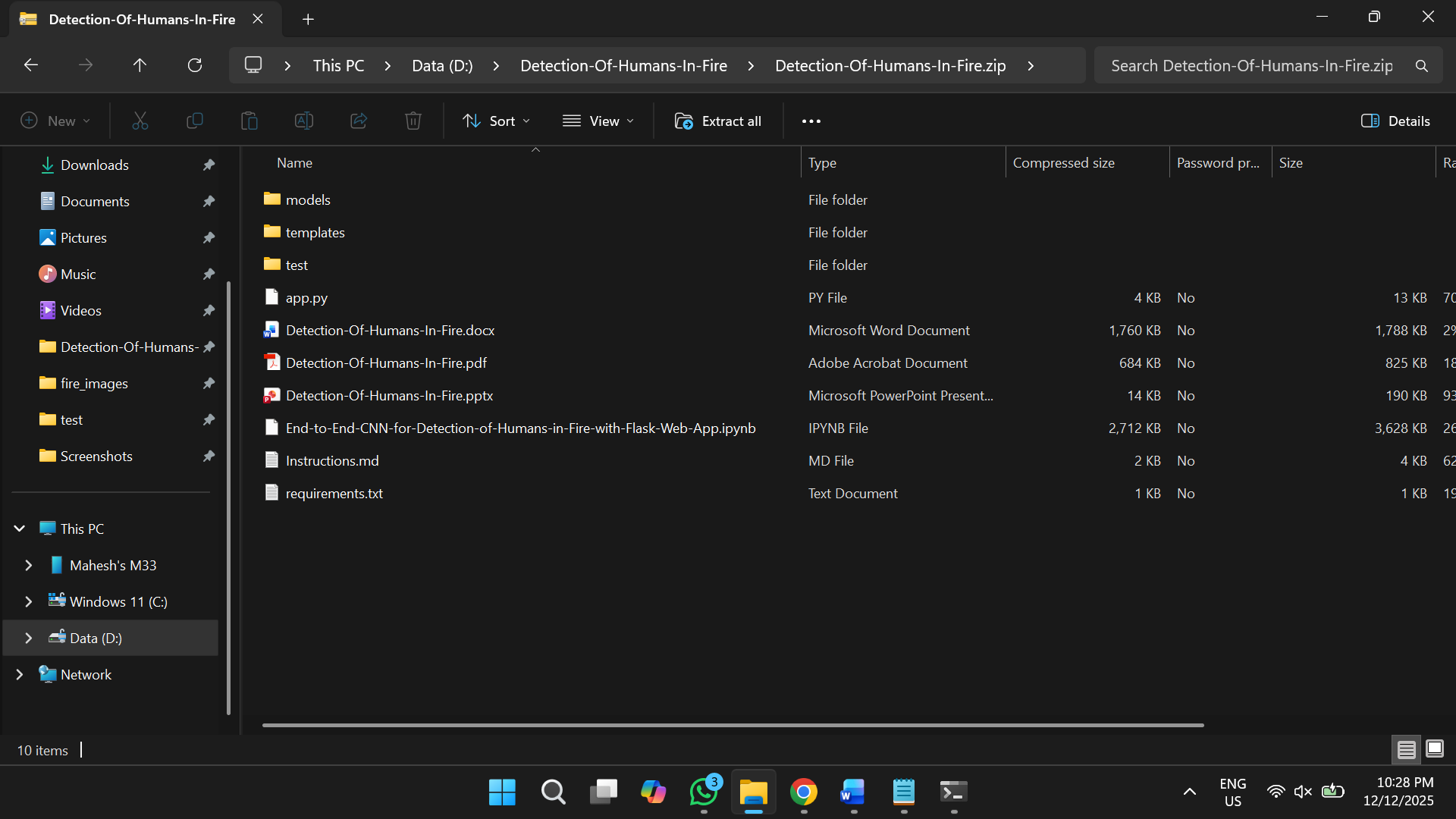
Source Code of the project
Flask Web Application
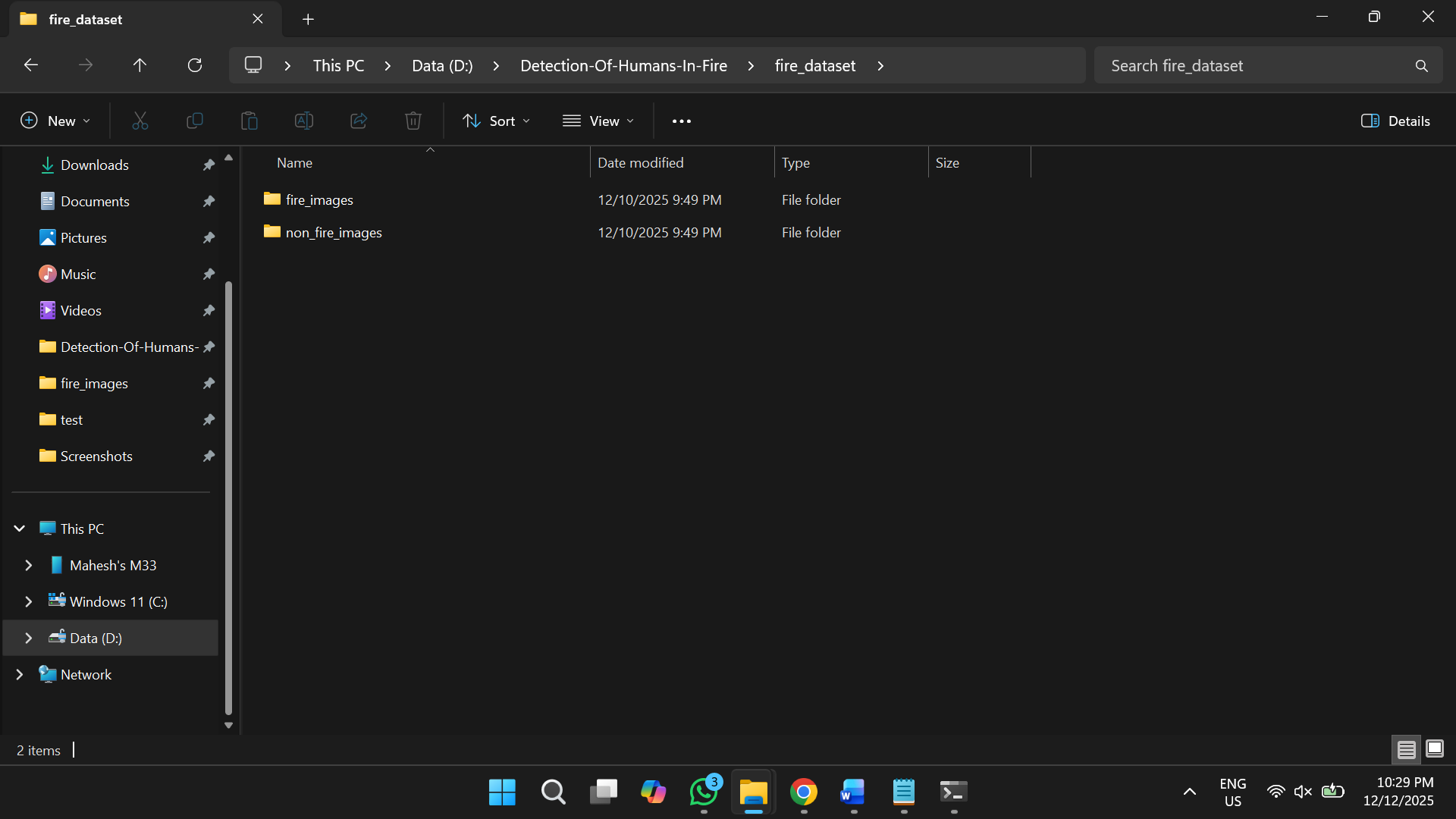
Dataset
Trained Model
Project Report (Both PDF and Word files)
Power Point Presentation (PPT)
Instructions to install the necessary Software and Libraries
Step-by-step instructions to execute the project (Instructions file)
Project Description
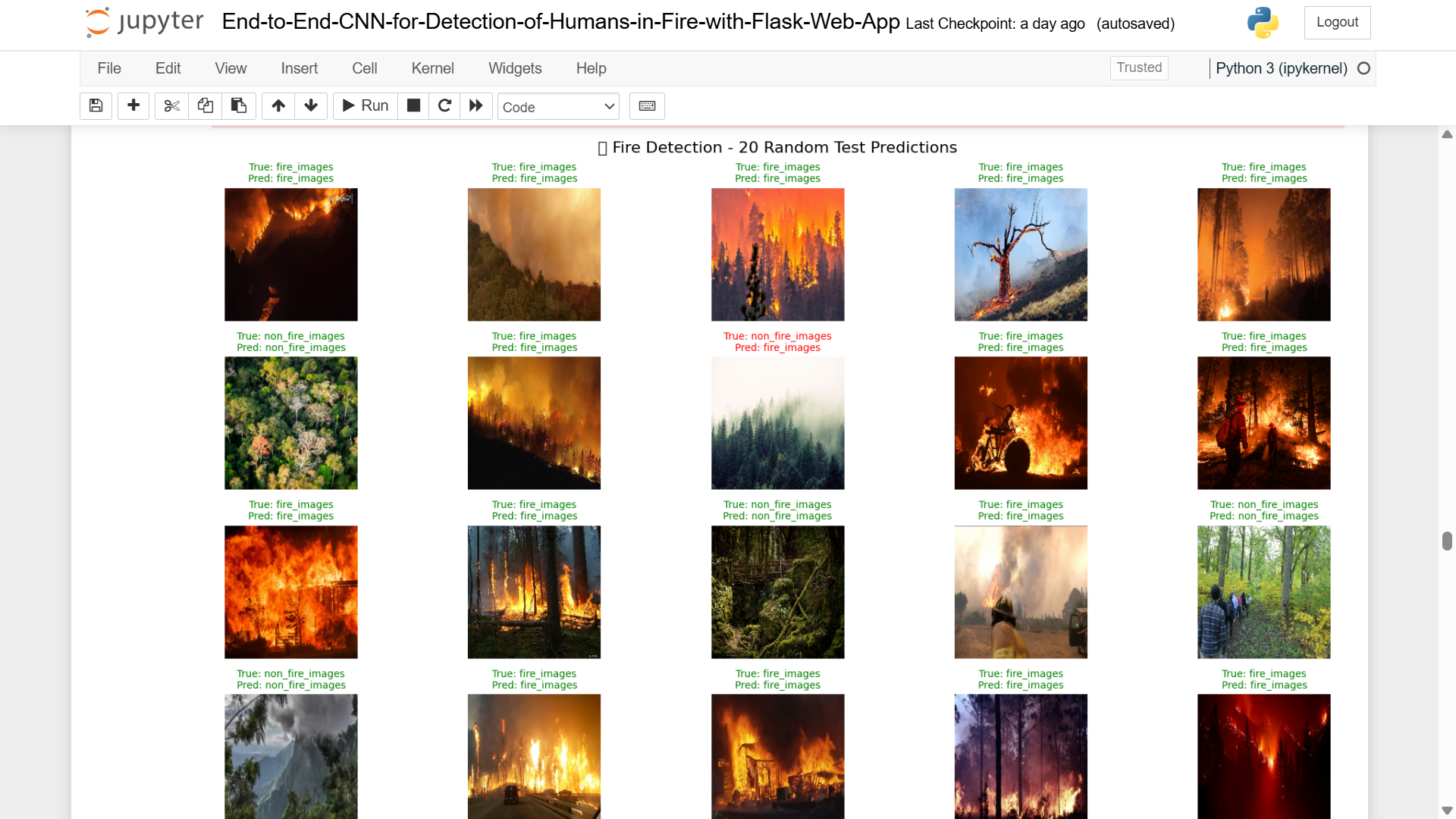
This comprehensive project presents an End-to-End Convolutional Neural Network (CNN) integrated with a Flask web application for detecting humans in fire scenarios using images and video streams. The system combines a sophisticated binary fire classifier model for human detection to identify critical risk situations where individuals are present in fire-affected frames.
The proposed solution implements a fully automated web-based interface that enables:
- Real-time processing of images and video feeds
- Frame-by-frame analysis with advanced detection capabilities
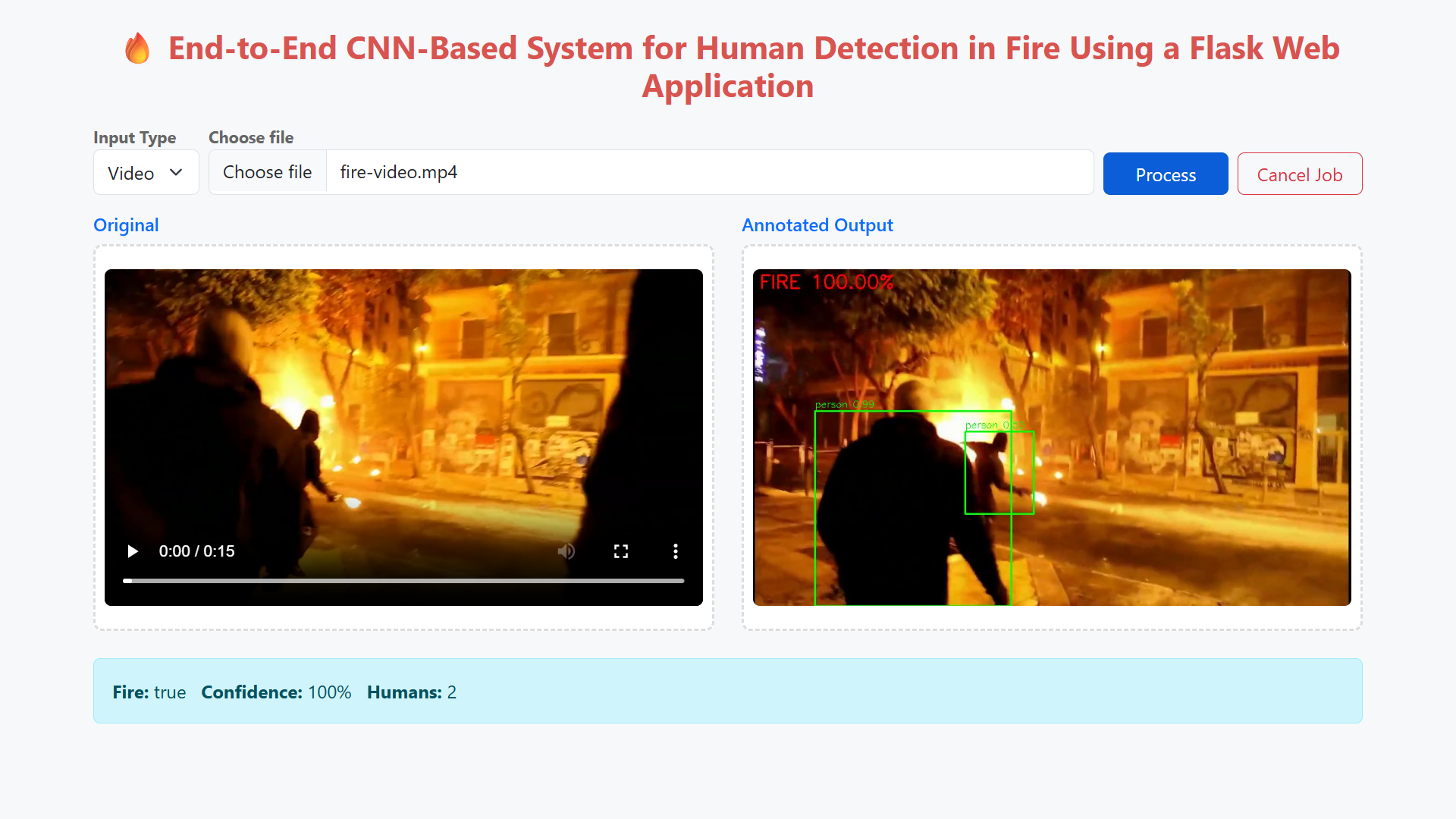
- Live streaming of annotated video outputs with progress monitoring
- High-confidence predictions for emergency response scenarios
Our system achieves exceptional performance metrics:
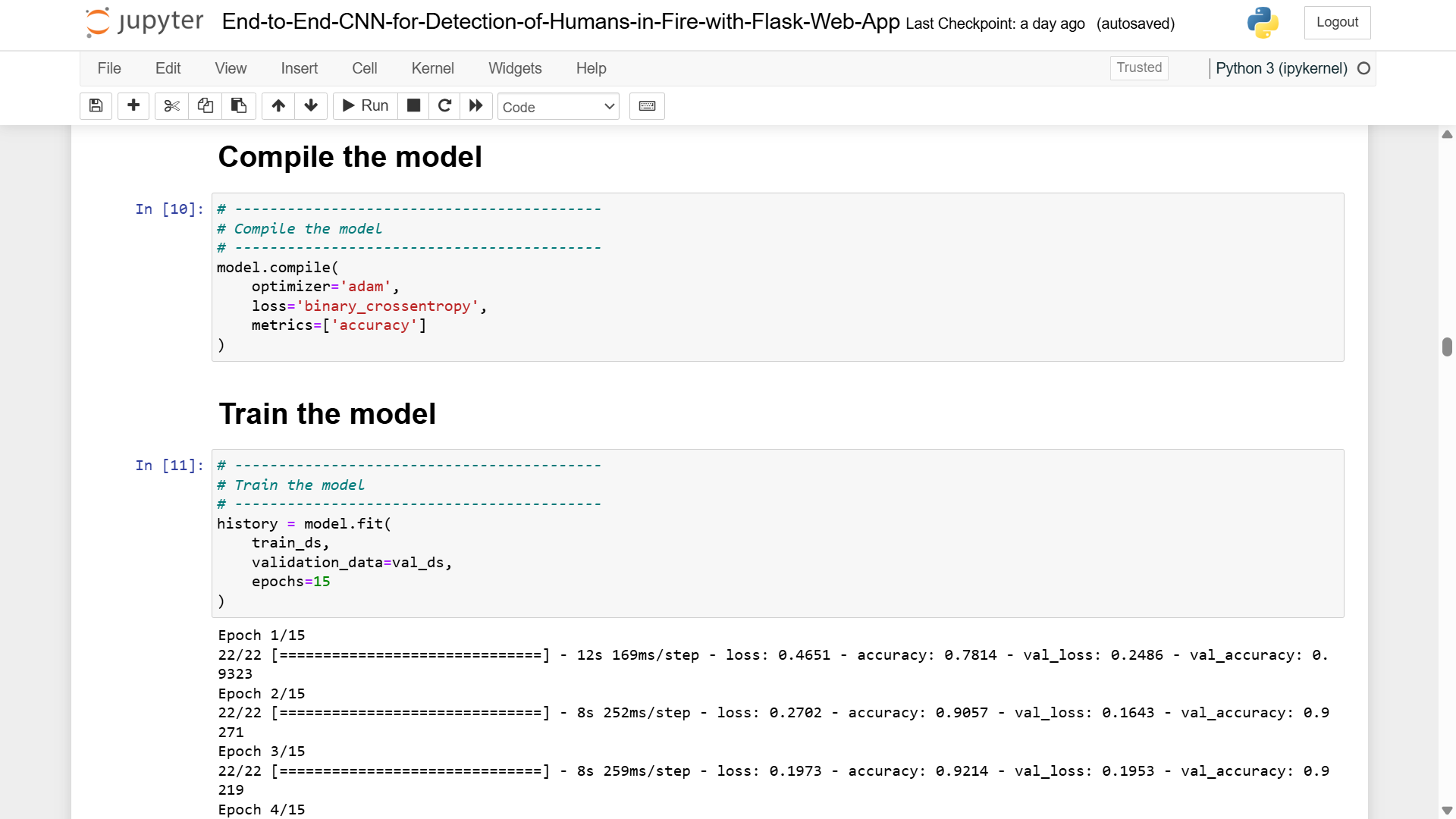
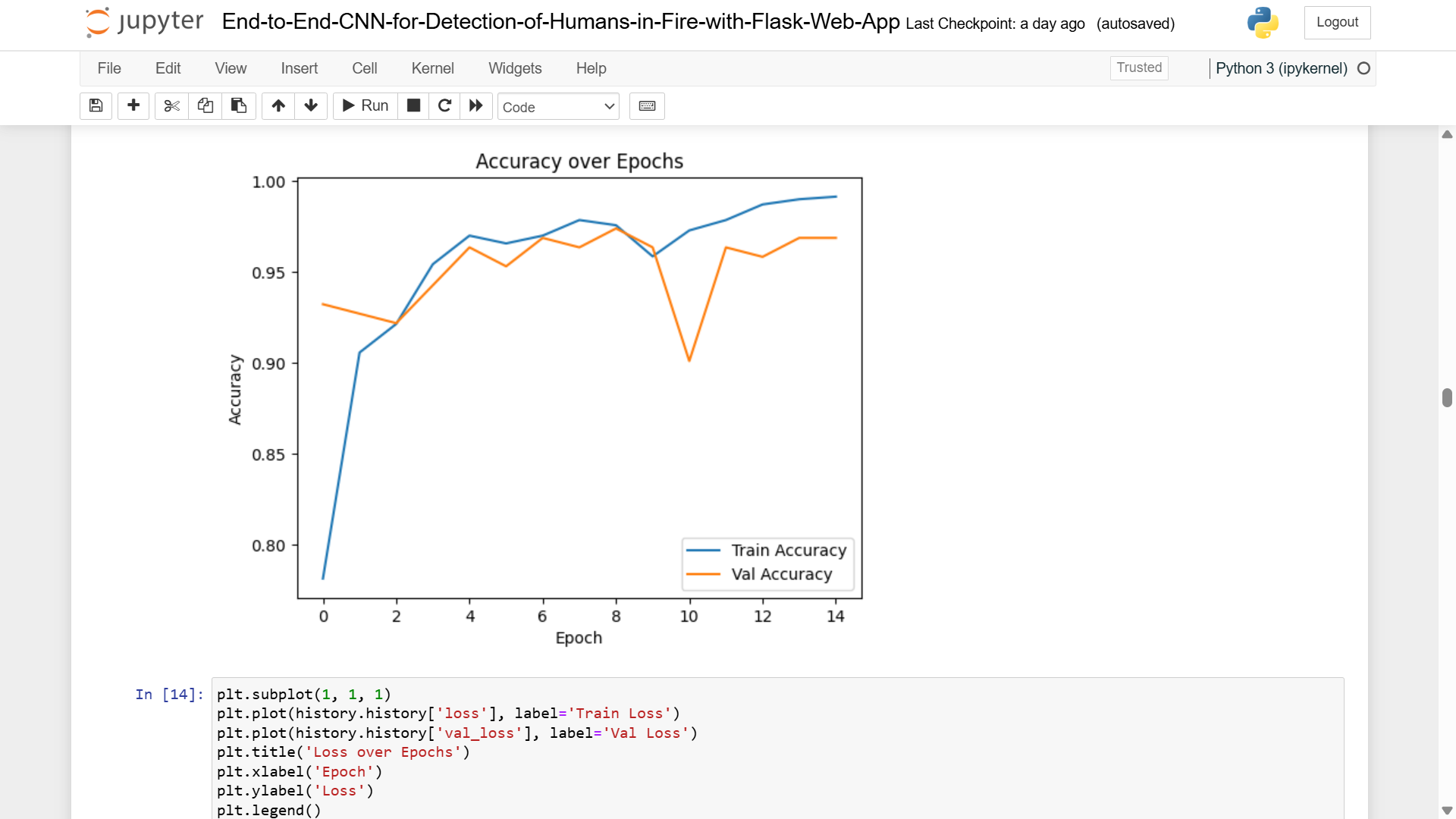
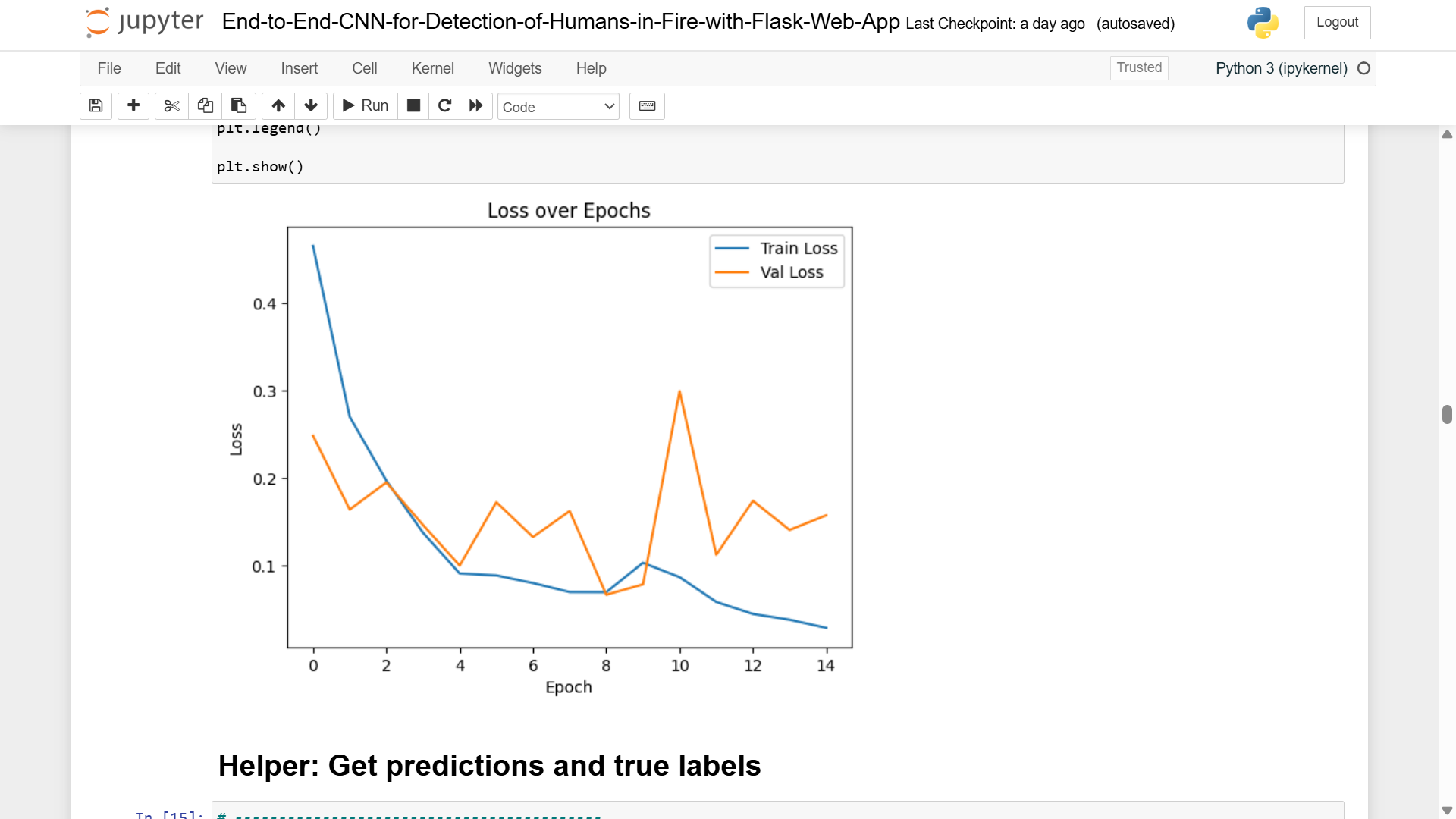
- Test Accuracy: 96.26%
- Test Loss: 0.1795
- Precision on Fire Images: 96%
- Recall on Fire Images: 100%
- F1-Score: 0.95
The integrated pipeline significantly enhances early fire response capabilities, supports automated safety monitoring systems, and demonstrates remarkable accuracy in recognizing humans in fire environments. This work bridges the gap between academic research and practical deployment by providing a production-ready solution for emergency response teams and safety monitoring systems.
Problem Statement
The challenge is to design and implement an end-to-end system capable of:
- Accurately detecting fire in images and video streams with minimal false positives
- Identifying human presence within fire-affected areas for immediate risk assessment
- Processing video streams in real-time
- Providing a user-friendly interface enabling non-technical personnel to operate the system
- Supporting emergency response decision-making with confidence scores and clear visualizations
Objectives
- Develop a CNN-based fire detection model achieving >95% accuracy with high recall (>95%)
- Integrate a YOLO-based human detector for accurate person localization
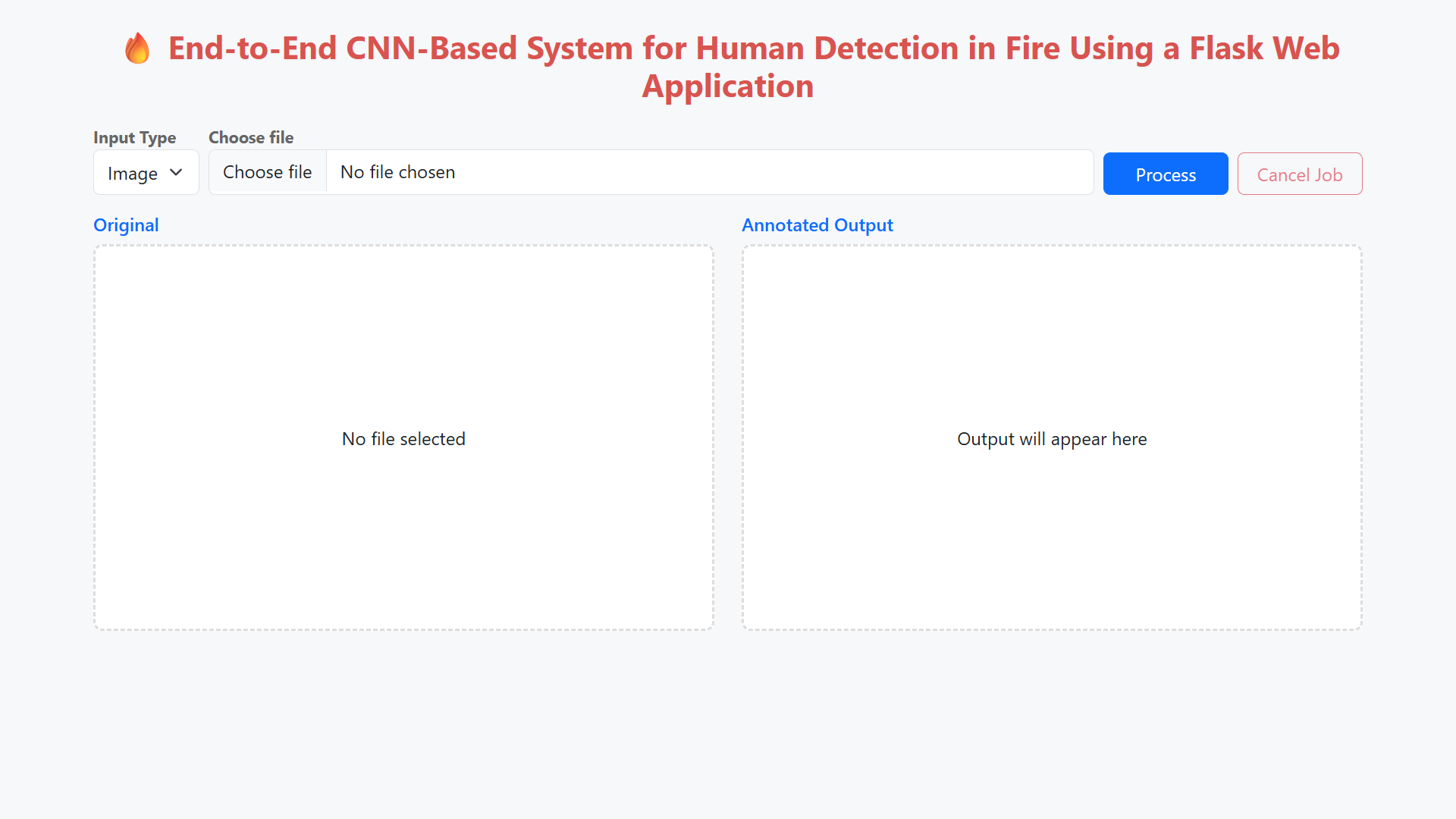
- Design a Flask web application supporting both image and video uploads
- Implement real-time video streaming with frame-level annotation
- Evaluate system performance on comprehensive test datasets
- Create an extensible architecture supporting future multi-class detection
The proposed system consists of six integrated components working in concert:
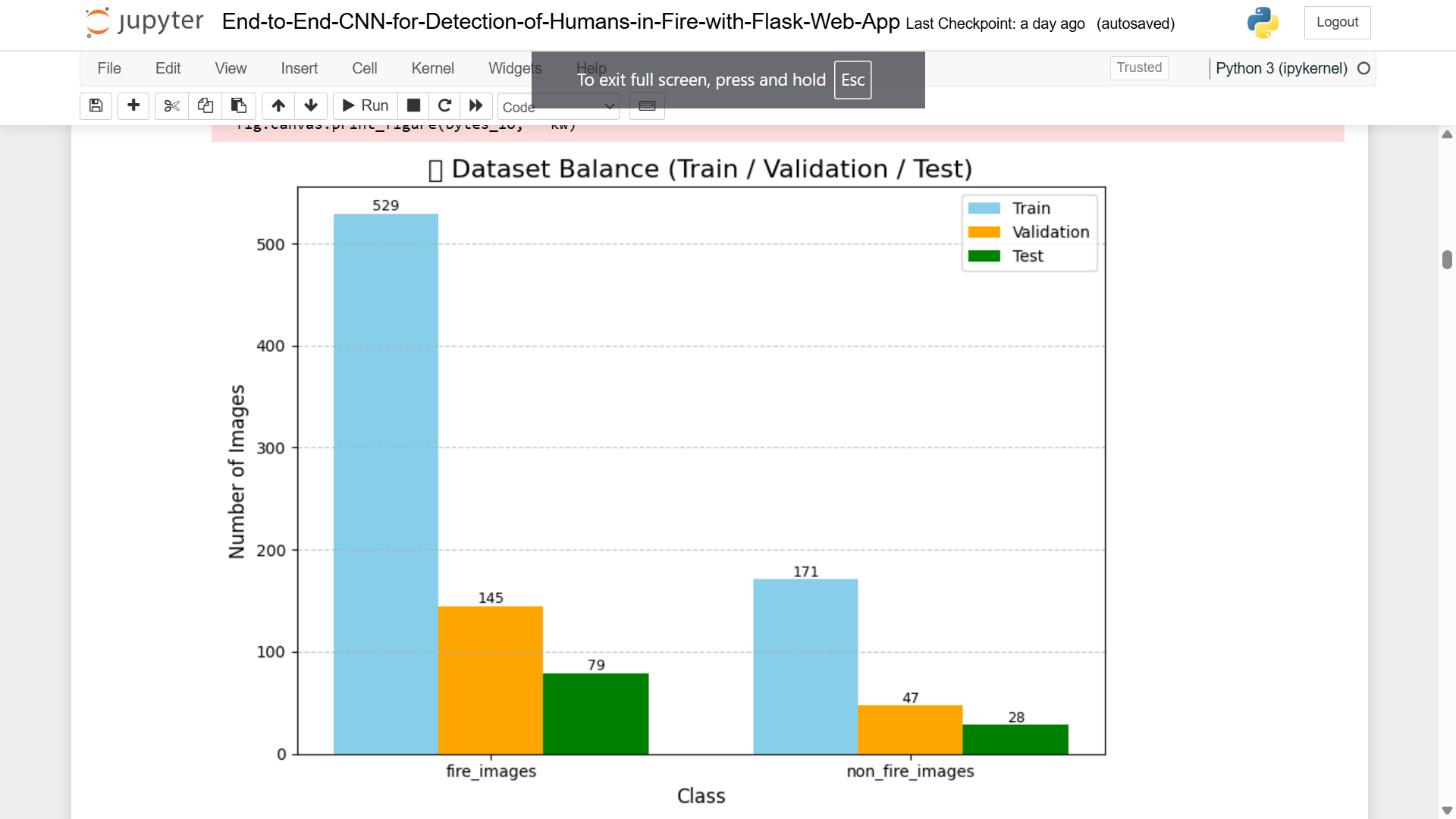
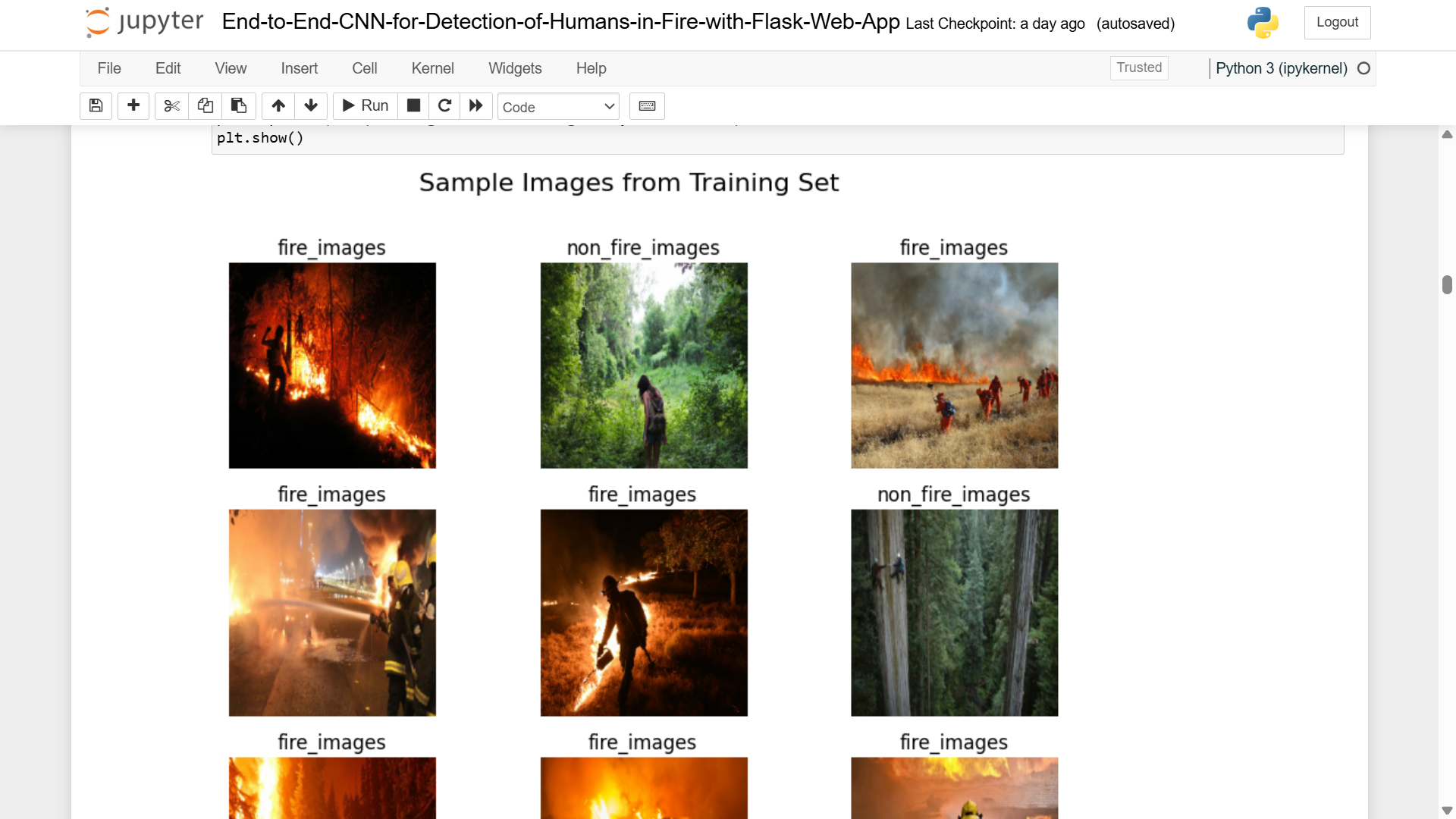
- Data Preprocessing Pipeline: Standardizes dataset preparation, applies augmentation, and ensures consistent normalization across all inputs
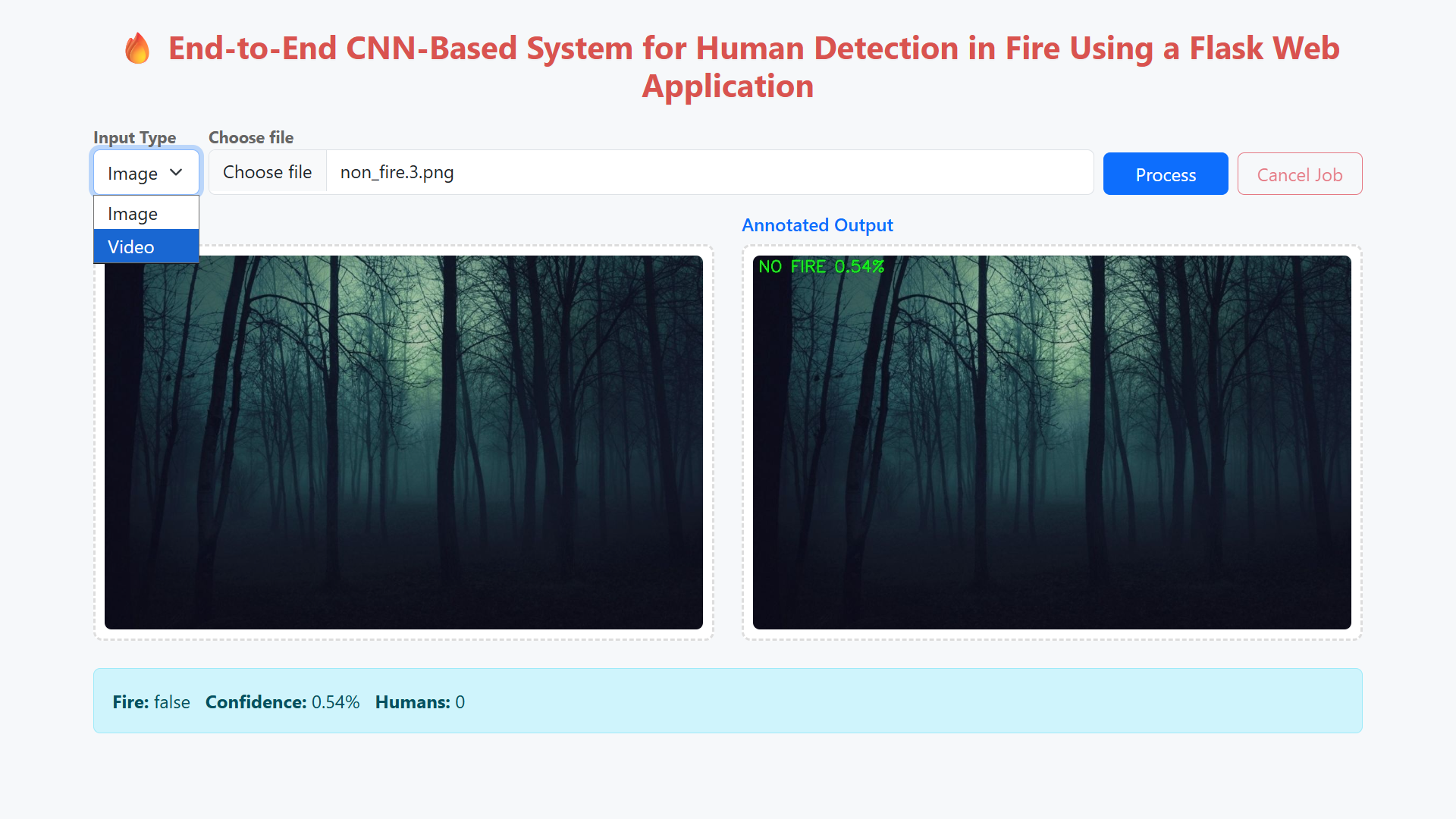
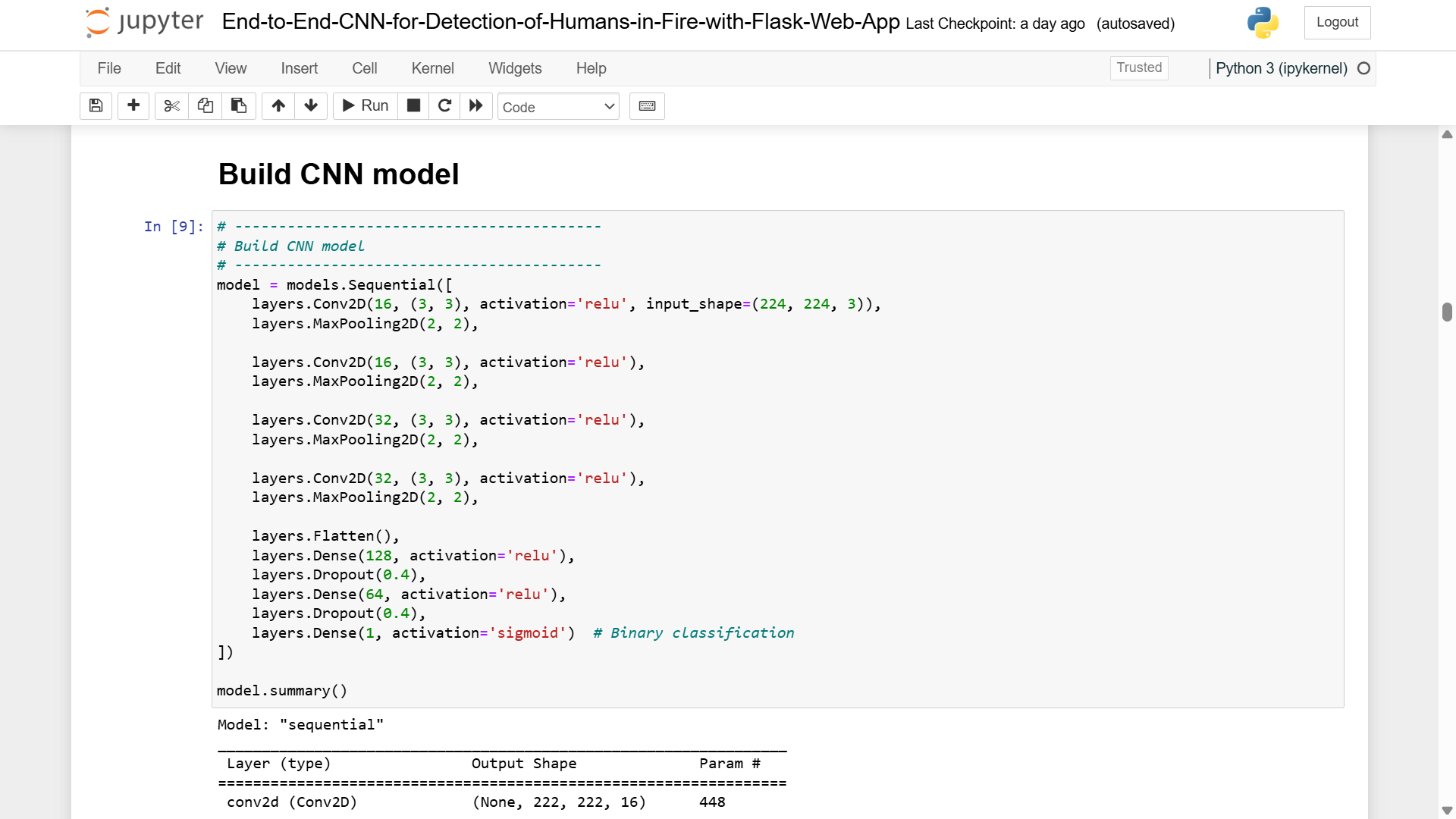
- CNN Fire Classifier: Performs binary classification (fire/non-fire) with high precision and recall
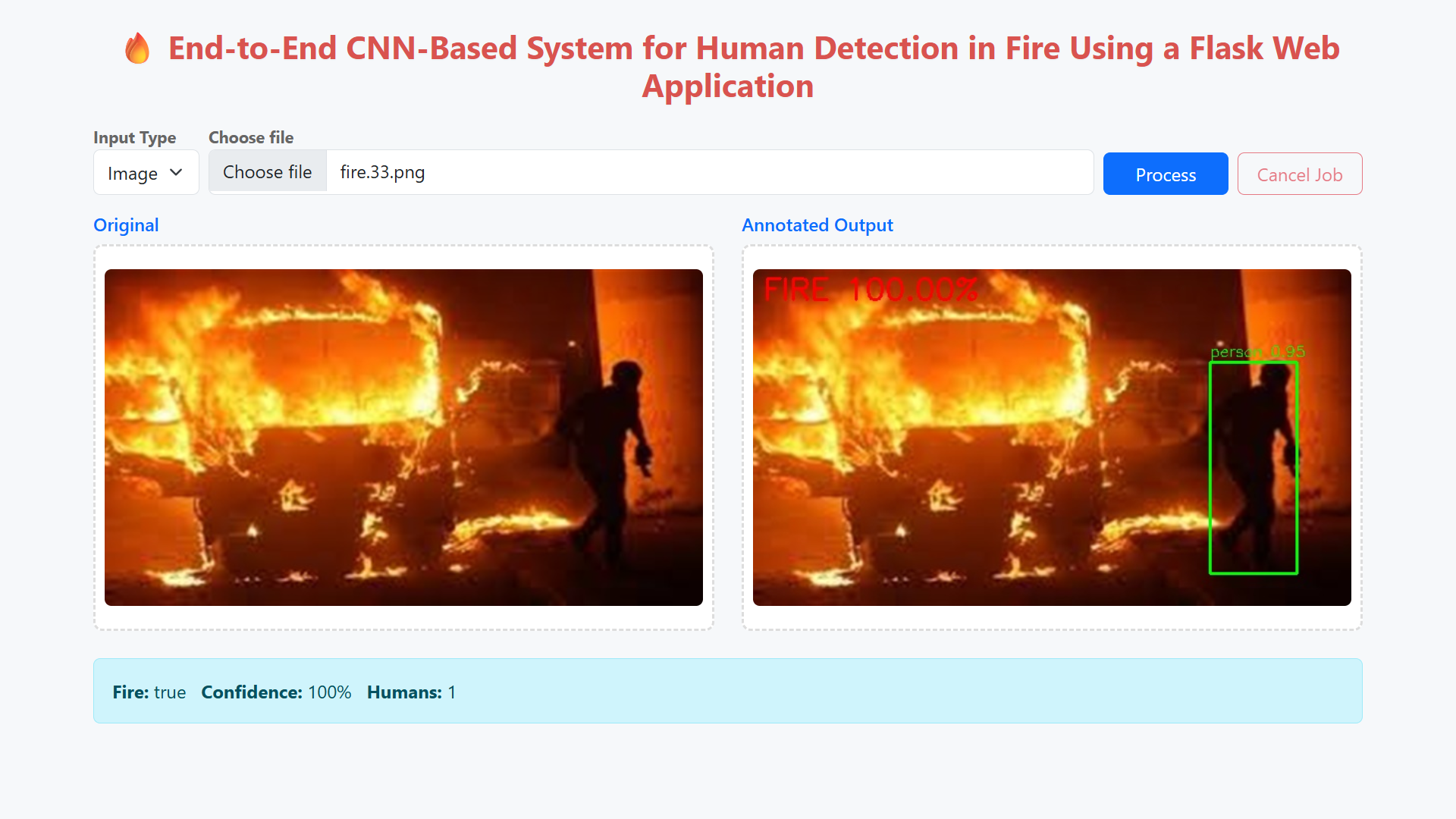
- Human Detector: Localizes persons in images with bounding boxes and confidence scores
- Decision Engine: Combines fire and human detection outputs for comprehensive risk assessment
- Flask Web Application: Provides user-friendly interface with upload, processing, and result visualization capabilities
- Annotation Module: Creates visual representations with color-coded bounding boxes, confidence labels, and scene statistics
Video Demonstration of End-to-End CNN-Based System for Human Detection in Fire Using a Flask Web App
Installing required Software and Running the Project
Installation (One time process)
1. Install the Anaconda Python Package and TensorFlow 2.10
Follow this video to understand, how to Install Anaconda and TensorFlow 2.10
Important Note:
If TensorFlow is not running properly, downgrade the numpy version to 1.26.4 using the below command
>> pip install numpy==1.26.4
2. Open anaconda prompt (Search for Anaconda prompt and open)
3. Change the directory to the project folder using the below command
>> cd path_of_project_folder
Example: Let’s say project is present in D drive
>>D:
>>cd D:\Detection-Of-Humans-In-Fire
4. Activate the virtual environment created while installing TensorFlow using the command
>> conda activate tf
Note: Here tf is the virtual environment name created while installing TensorFlow
5. Now install the required libraries using the below command
>> pip install -r requirements.txt
Follow the steps to train the model after installing the requirements.
1. Open anaconda prompt (Search for Anaconda prompt and open)
2. Change the directory to the project folder using the below command
>> cd path_of_project_folder
Example: Let’s say project is present in D drive
>>D:
>>cd D:\Detection-Of-Humans-In-Fire
3. Activate the virtual environment created while installing TensorFlow using the command
>> conda activate tf
4. Next to train the model open the Jupyter Notebook using the below command
>> jupyter notebook
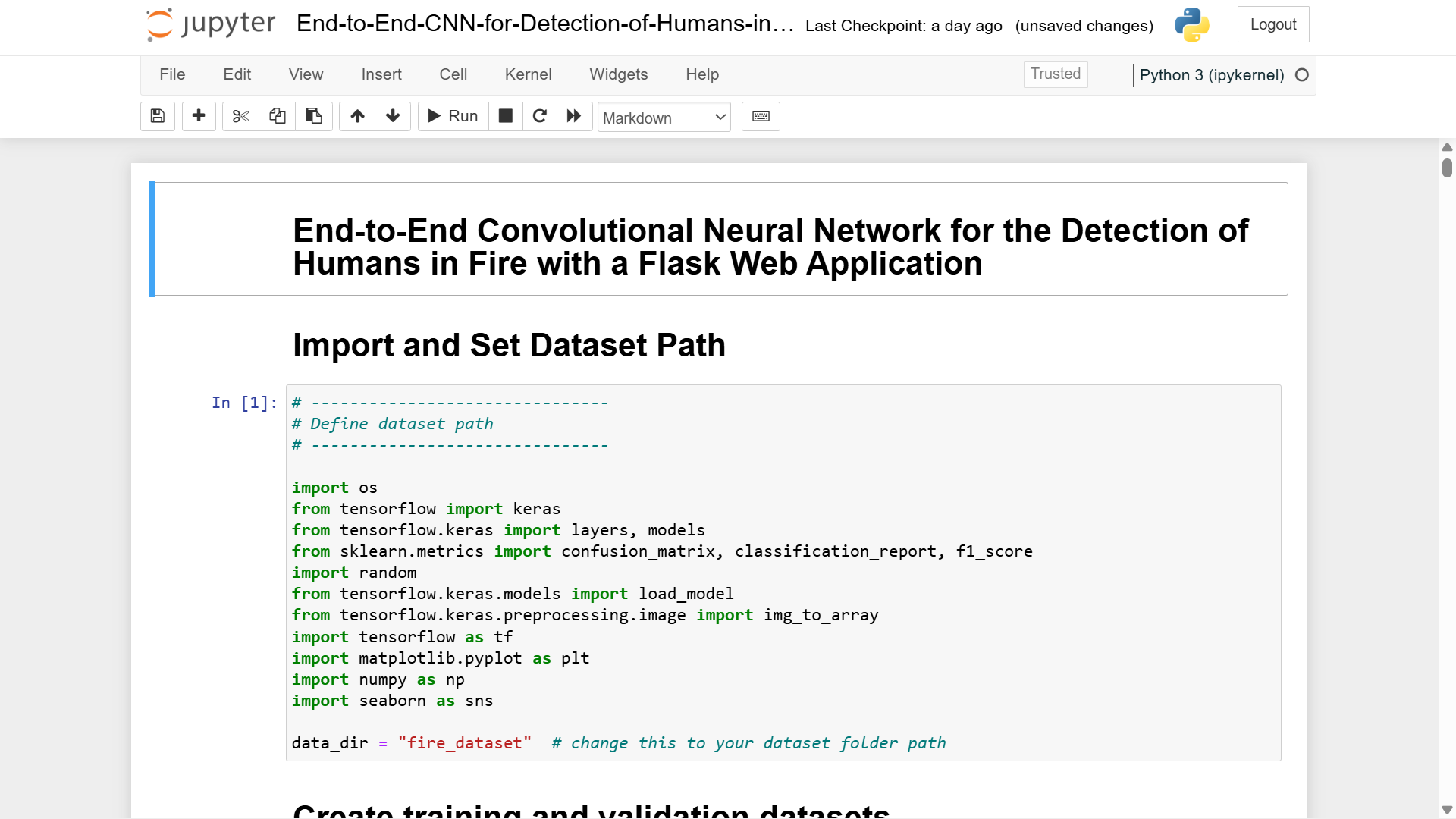
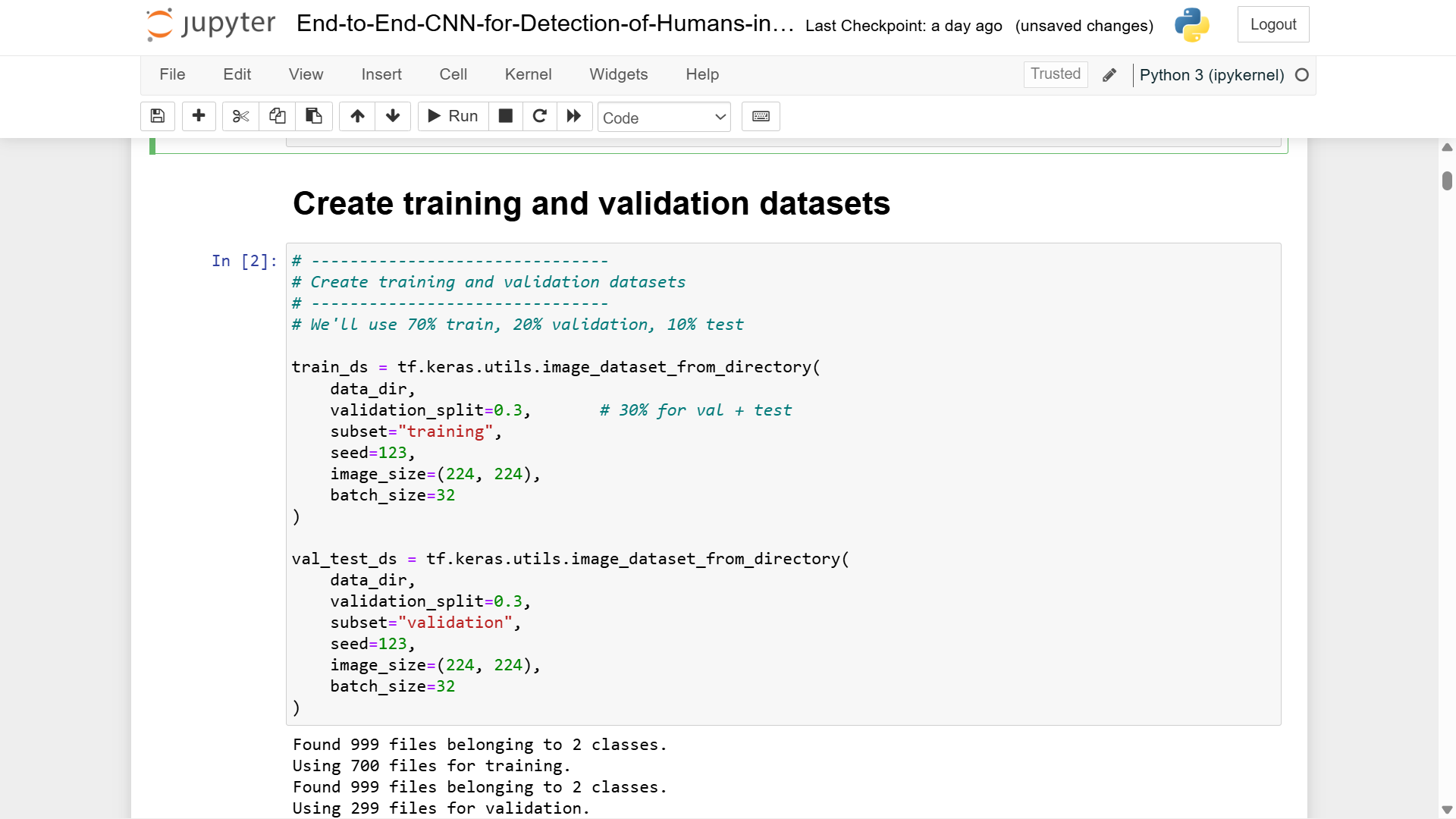
5. Open the End-to-End-CNN-for-Detection-of-Humans-in-Fire-with-Flask-Web-App.ipynb and run all cells
6. Once the training is completed the trained model that is fire_detection_model.h5 will be stored in the models directory
Follow the steps to run the Flask Application after installing the requirements and Training the Model.
1. Open anaconda prompt (Search for Anaconda prompt and open)
2. Change the directory to the project folder using the below command
>> cd path_of_project_folder
Example: Let’s say project is present in D drive
>>D:
>>cd D:\Detection-Of-Humans-In-Fire
3. Activate the virtual environment created while installing TensorFlow using the command
>> conda activate tf
4. To run the Flask app type the following command
>> python app.py
Software Requirements (for Web Application & Backend)
1. Operating System
Windows 10 / Windows 11 (64-bit)
Ubuntu 20.04 / 22.04 (Recommended for deployment & GPU support)
2. Programming Environment
Python 3.9 (supports TensorFlow 2.10 )
3. Backend Software / Frameworks
Flask 3.1.x – Web server framework for handling image/video uploads and API responses
Werkzeug – Secure file handling in Flask
Threading module – For background video processing jobs
Jinja2 templates – For rendering front-end HTML pages
4. Machine Learning Libraries
TensorFlow 2.10.0 – Used to load & infer the custom Fire Detection CNN model
OpenCV (cv2) –
Image preprocessing
Video frame extraction
YOLO inference
Annotation of bounding boxes
NumPy 1.26.x – Mathematical array operations
Pillow (PIL) – Reading uploaded images from the user’s browser
imutils 0.5.4 – Efficient resizing & frame utilities for video processing
5. Detection Models Required
fire_detection_model.h5– Custom-trained CNN for fire detectionyolov3.cfg– YOLOv3 model configurationyolov3.weights– Pre-trained YOLOv3 weightscoco.names– Class labels (must include “person”)
Hardware Requirements
Minimum Requirements (for running locally or small-scale deployment)
Suitable for testing or low-resolution inputs.
CPU: Dual-core 2.0 GHz (Intel i3 / Ryzen 3)
RAM: 8 GB
Storage: 10 GB free (models + processed videos + logs)
GPU: Not required (CPU inference works but slower)
Camera (optional): Basic webcam for future real-time extension
Happy Learning
Still need help to set up and execute the project
- Setup and modification are paid services based on requirements.
Related products
- Sale!
 Machine Learning Project
Heart Attack Risk Prediction using Machine Learning with Flask App Project
Original price was: ₹2,599.00.₹799.00Current price is: ₹799.00. Add to cart - Sale!
 Machine Learning Project
Salary Prediction End-To-End Machine Learning Project Source Code
Original price was: ₹2,000.00.₹399.00Current price is: ₹399.00. Add to cart - Sale!
 Deep Learnig Project
Pneumonia Detection from Chest X-Ray with Flask App Deep Learning Project
Original price was: ₹2,999.00.₹799.00Current price is: ₹799.00. Add to cart - Sale!
 Deep Learnig Project
Facial Expression Recognition using CNN Final Year Project
Original price was: ₹2,500.00.₹999.00Current price is: ₹999.00. Add to cart
Reviews
There are no reviews yet.